ChatGPT Security Settings
How to stop OpenAI from using your personal conversations to train their AI models.

When you use ChatGPT, your conversations are saved and, by default, used to train future iterations of OpenAI's models. If you are sharing sensitive information, coding snippets, or personal details, you need to turn this off.
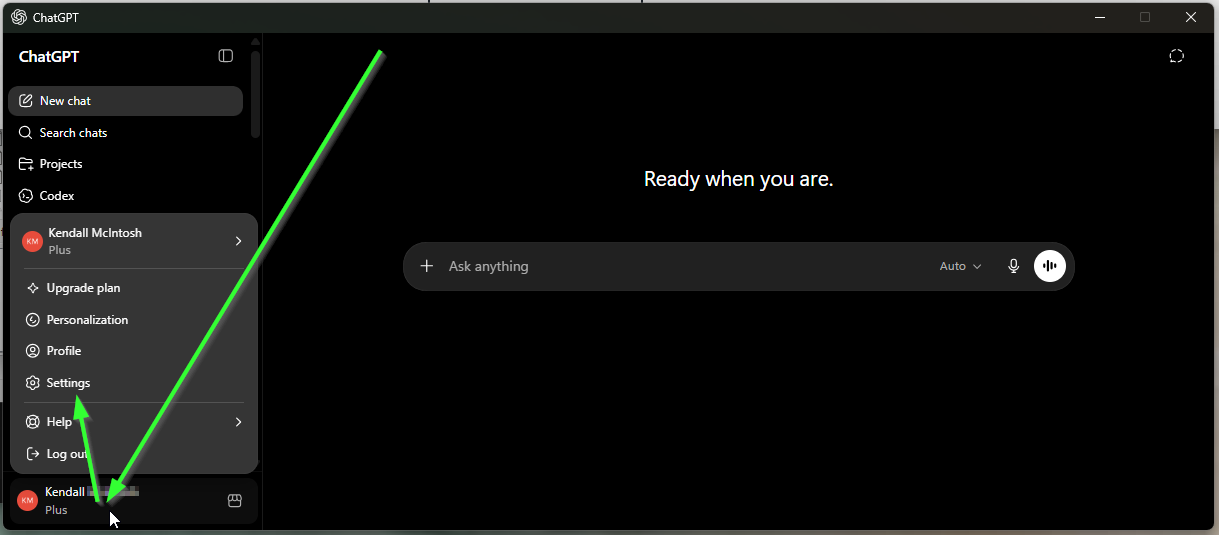
Step 1: Access Your Settings
First, log into ChatGPT. In the bottom-left corner of the screen (or in the sidebar menu on mobile), click on your profile picture and select Settings.
Step 2: Navigate to Data Controls
In the Settings menu, look for the section labeled Data Controls. This is where OpenAI houses the privacy and history features.
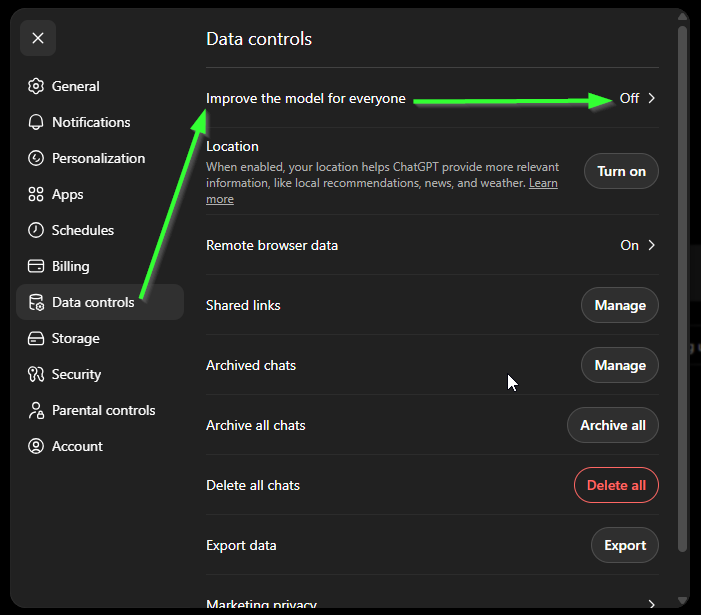
Step 3: Access Model Training Options
Look for the section labeled Improve the model for everyone or "Chat history & training" (depending on your version). Click on this section to view the training toggle.
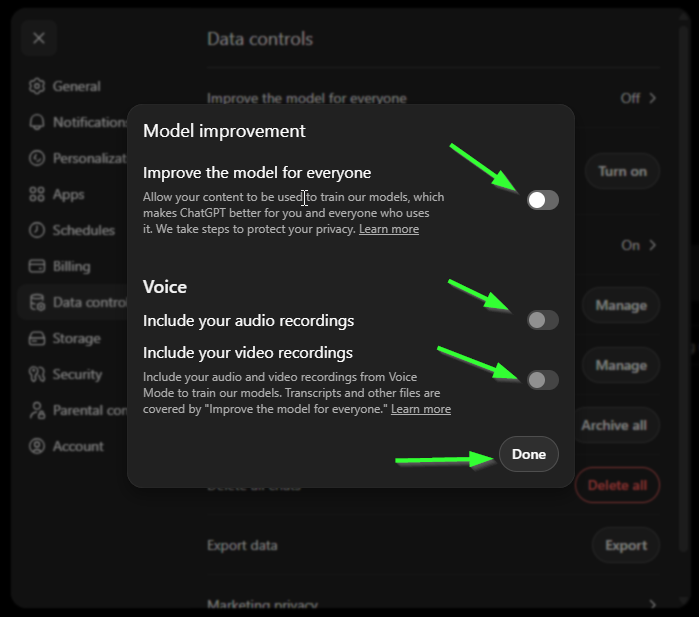
Step 4: Disable Model Training
Toggle the switch to the OFF position.
Note: Turning this off means your chats won't be used for training, but in some versions, it may also disable your chat history across devices. If you are on a paid Enterprise or Team plan, training is disabled by default.
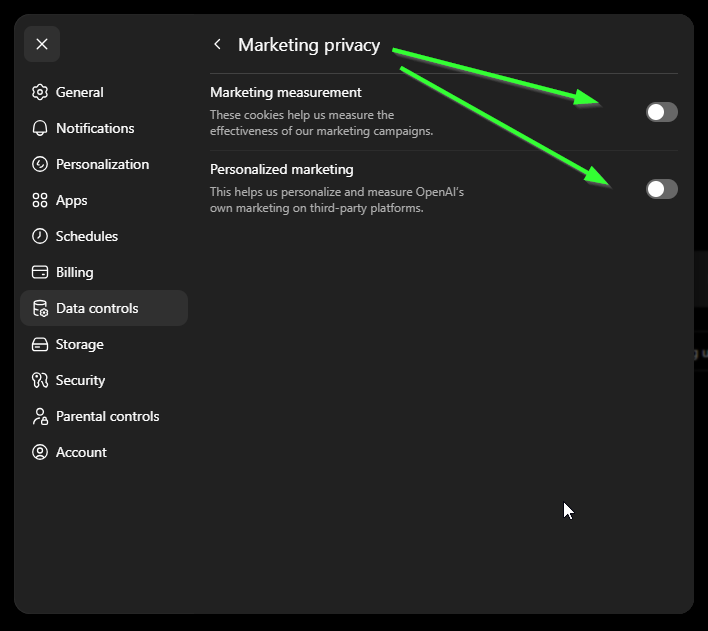
Step 5: Disable Marketing
If you're still on the previous screen, you'll want to go back out and look for "Marketing Privacy" at the top level in settings.
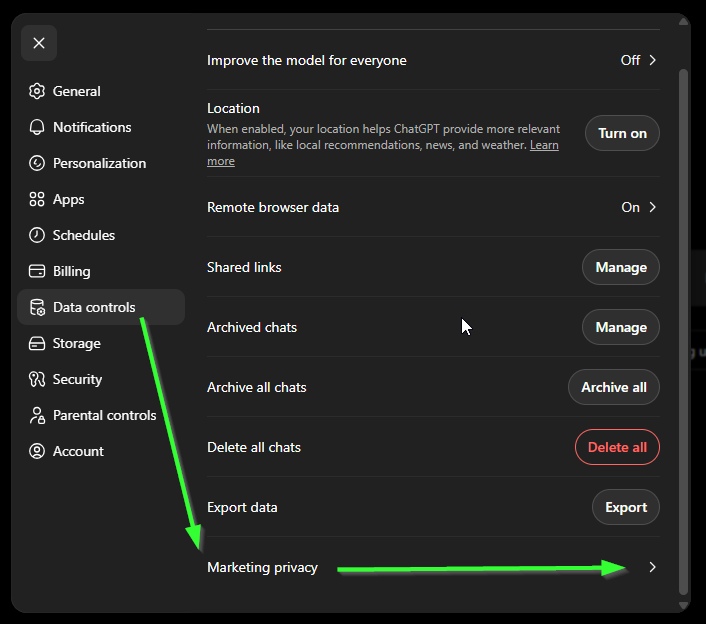
Step 6: Disable Marketing
Turn off both these options so that your data is not used for marketing purposes.